Find what your To-Do list misses

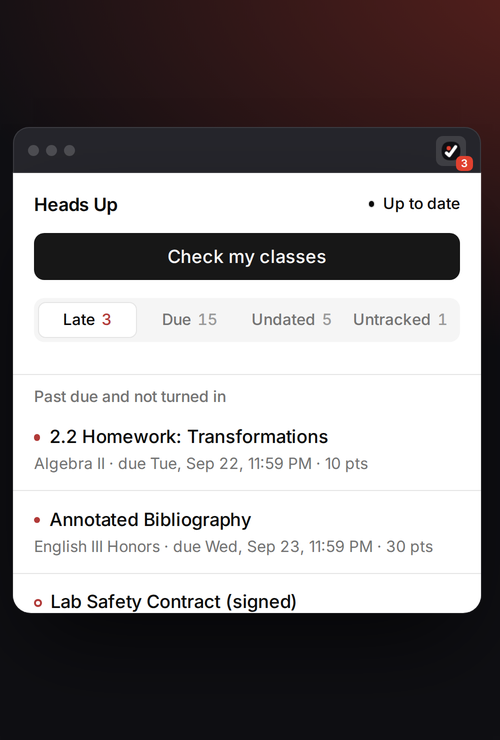
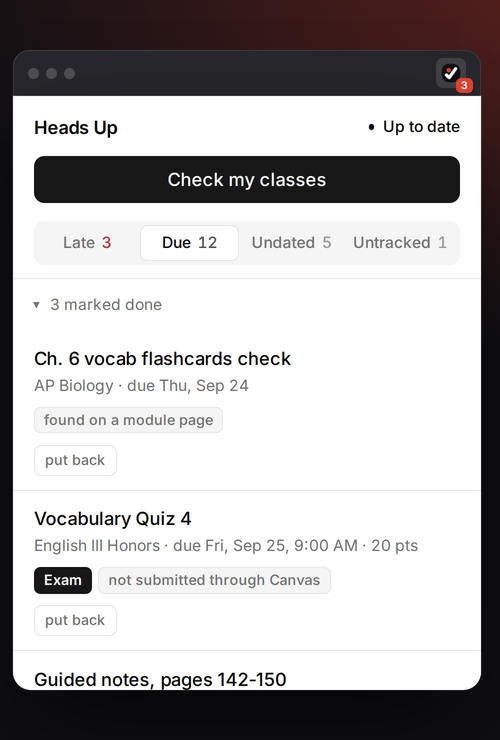
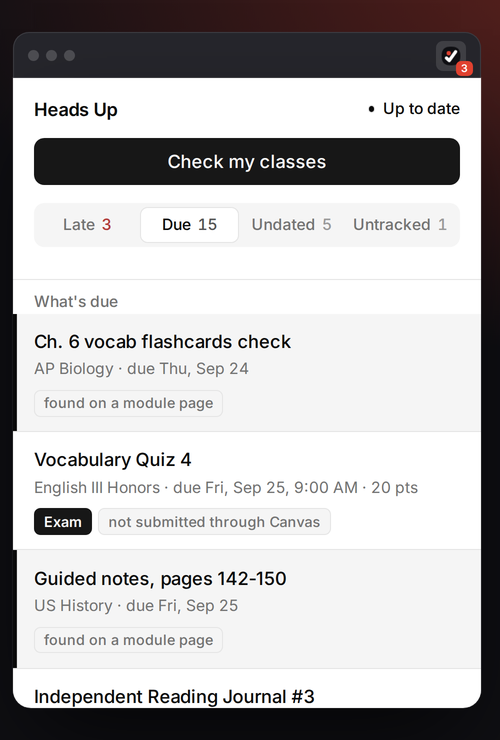
Canvas's To-Do list leaves out a lot of real work, like a worksheet packet, an in-class test, or homework your teacher typed into a module page. Heads Up finds that work and puts it in one list with the rest of your assignments.

Add to Chrome, it's free

There's no account to make, and it works with any school that uses Canvas.

Heads Up runs in Chrome on a computer, so it can't be added from your phone.

Send yourself the link and you can add it the next time you're on your laptop. It's free, and there's no account to make.
Email it to me
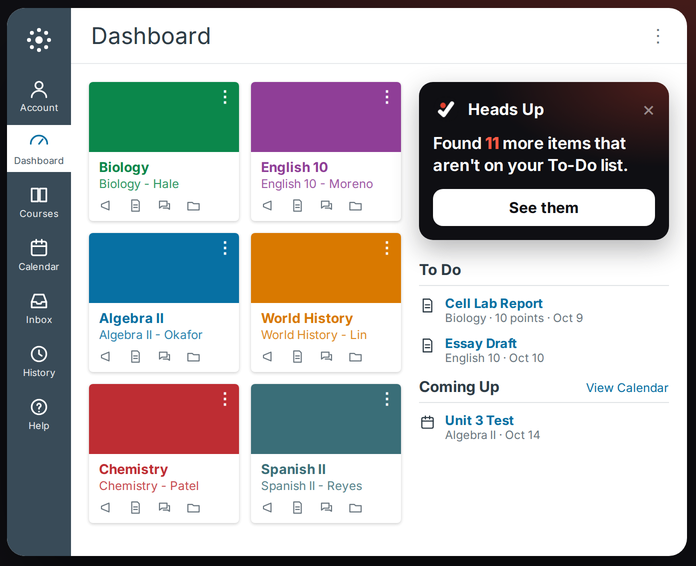
The Heads Up card on a Canvas dashboard: Found 11 more items that aren't on your To-Do list.
How it works

Everything that's due, in one place

Heads Up checks your classes every 30 minutes and shows a count on its icon, so you can see what's due without opening Canvas.

It reads what your teacher wrote

When homework is only written on an agenda or module page, it still ends up on your list, and Heads Up only adds it if it can quote the page word for word.

Late means actually late

Something is marked late when Canvas itself says it's past due and you haven't turned it in, so the red items are the ones that really need you.

Marking it done carries over

When you mark something done, it's saved to your own Canvas account, so it disappears on every computer you use.

Dual credit

If you take dual credit

You can link your college's Canvas, like HCC's Eagle Online, and see both schools in the same list.

Privacy

What happens with your Canvas account

Heads Up does its work on your computer. It never sees your password, and nothing it reads is sold or used for ads.

Add Heads Up to Chrome

It's free, there's no account to make, and setting it up takes about a minute.

Add to Chrome
If you're on your phone right now,

send yourself the link and add it from your computer later.

Email it to me